Generate images and videos with the best AI for brokers

Use AI to delight your customers, sell more, and highlight your images and videos in ads and marketplaces.

Real estate agencies across Brazil use our implementation method and result with AI.

[

What is Redraw?

]

We are the largest AI software for architecture in Latin America

And now, we present Redraw for brokers, an AI Hub that will force you to generate images that actually sell.

[

AI for Brokers

]

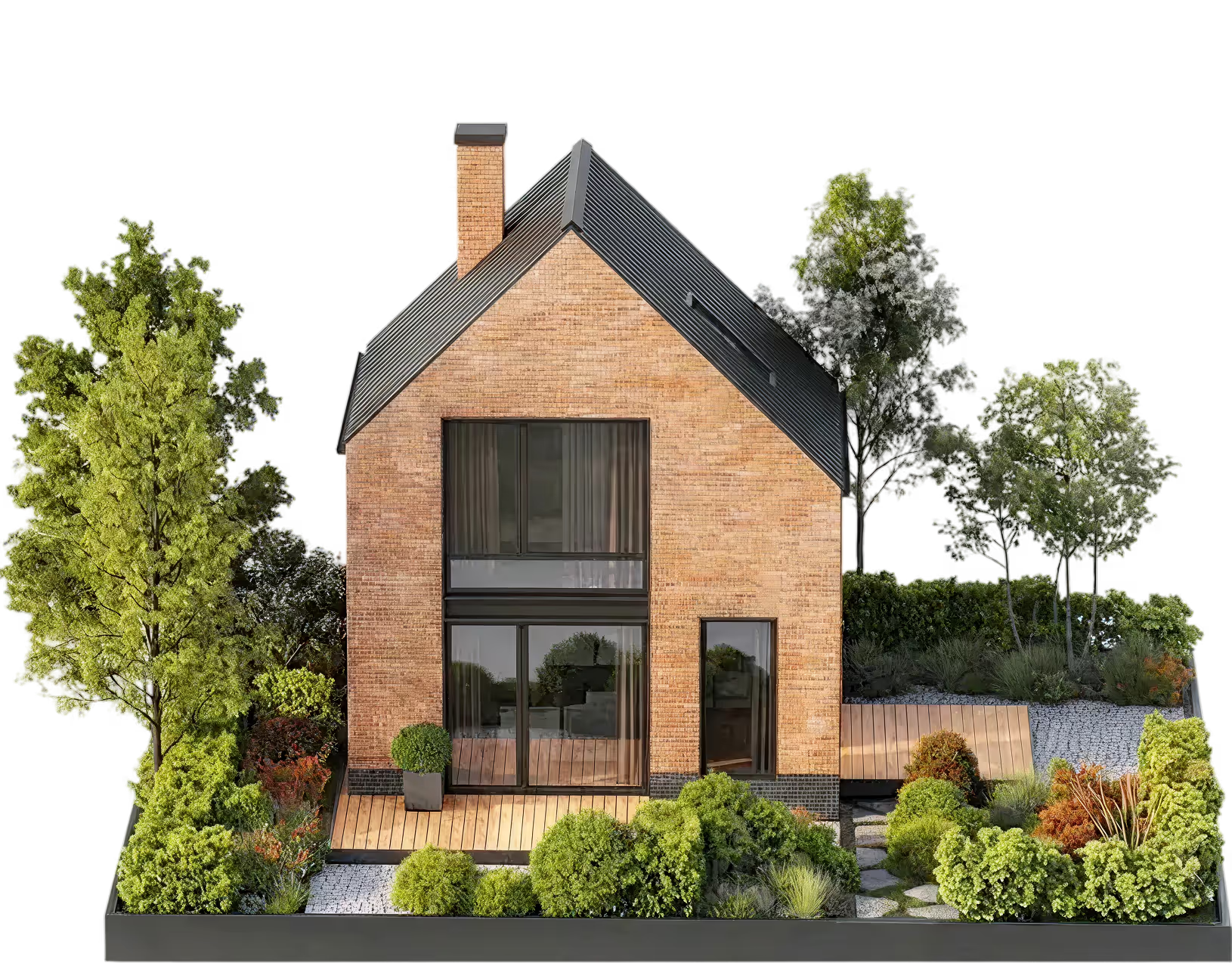
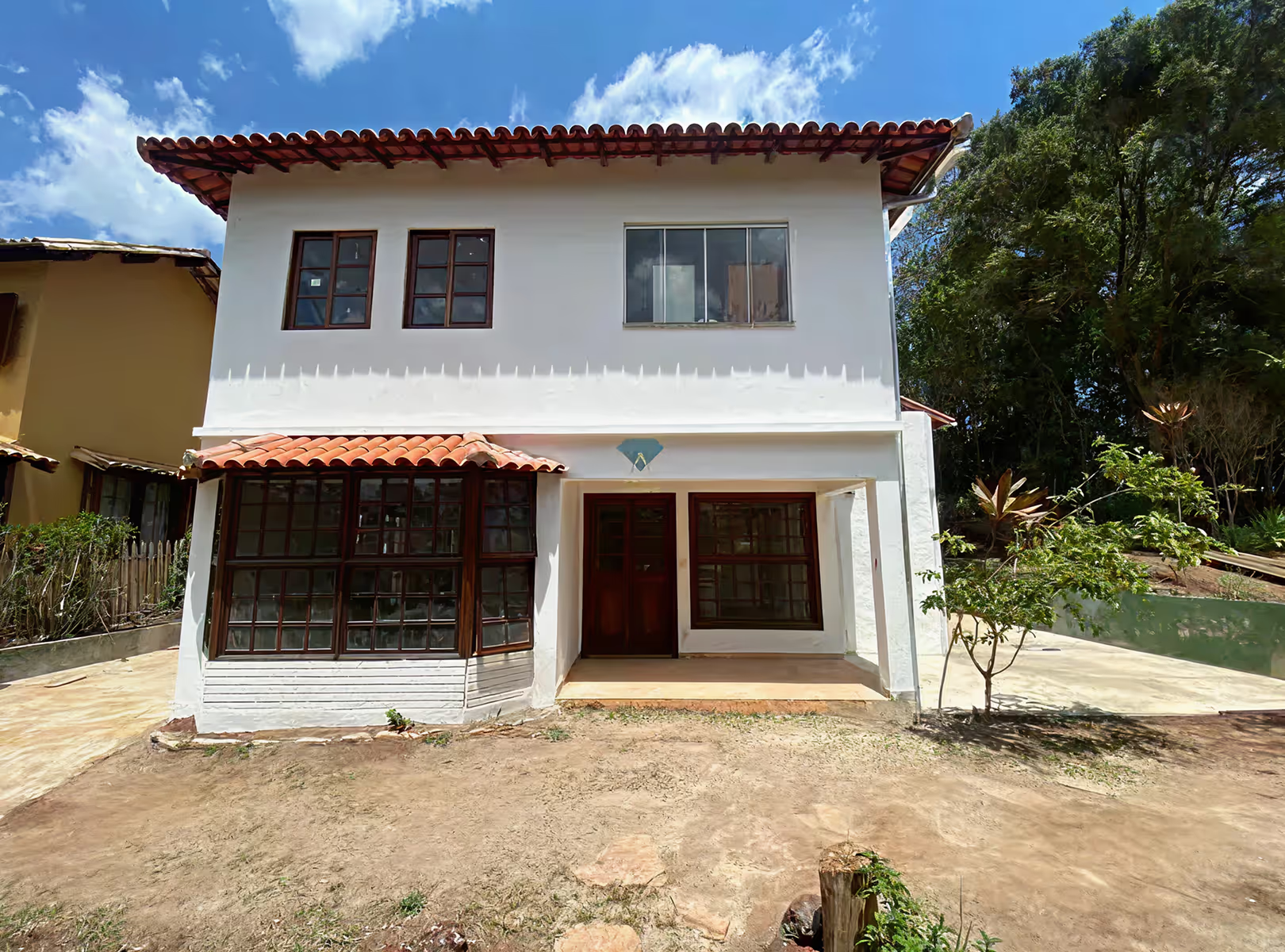
How to apply AI to the Broker's daily life? Take a look at the examples:
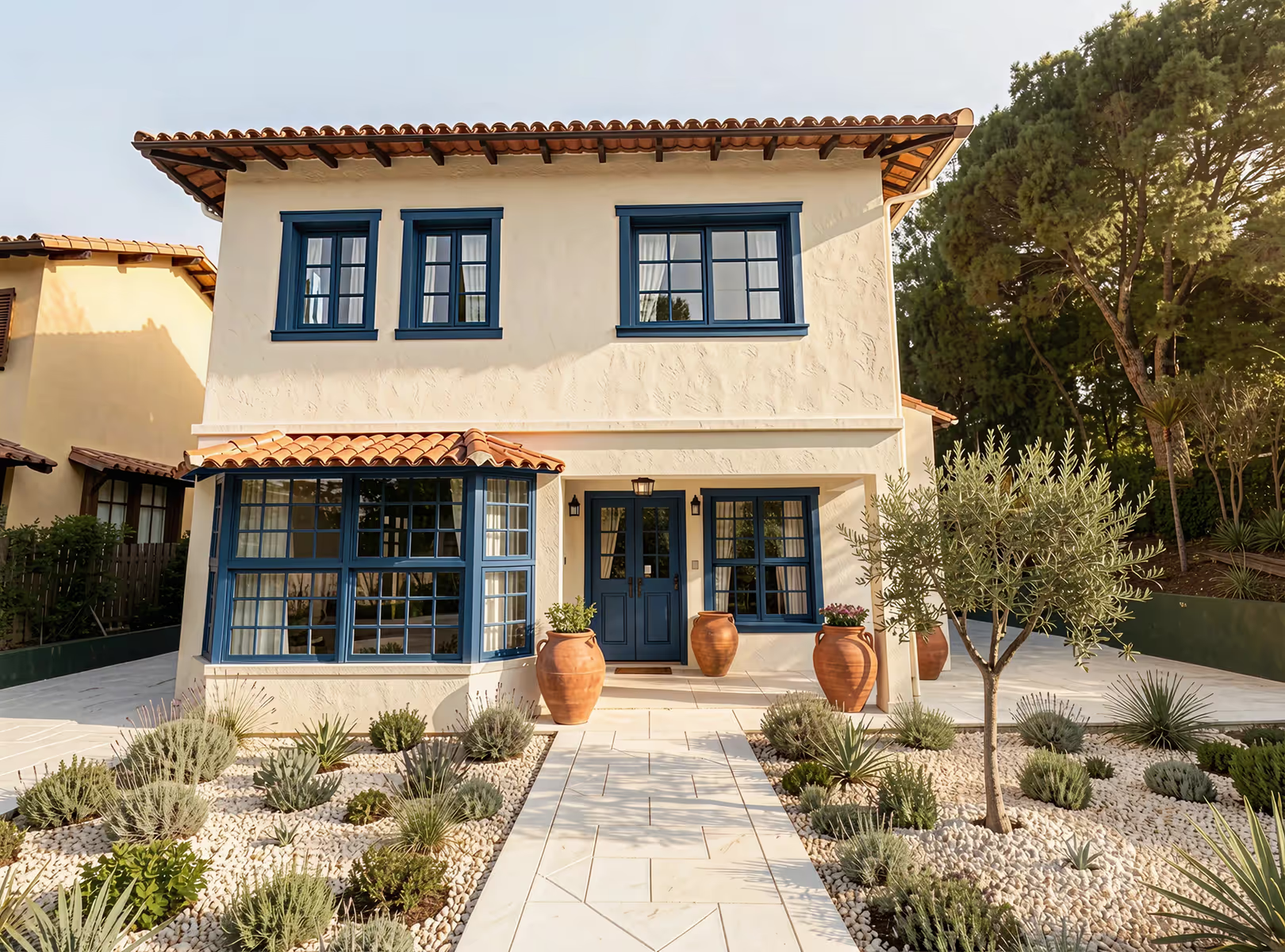
Before
After

AI for Brokers

Reform
houses:

With AI, you can generate new proposals, or even fix image details to sell more.
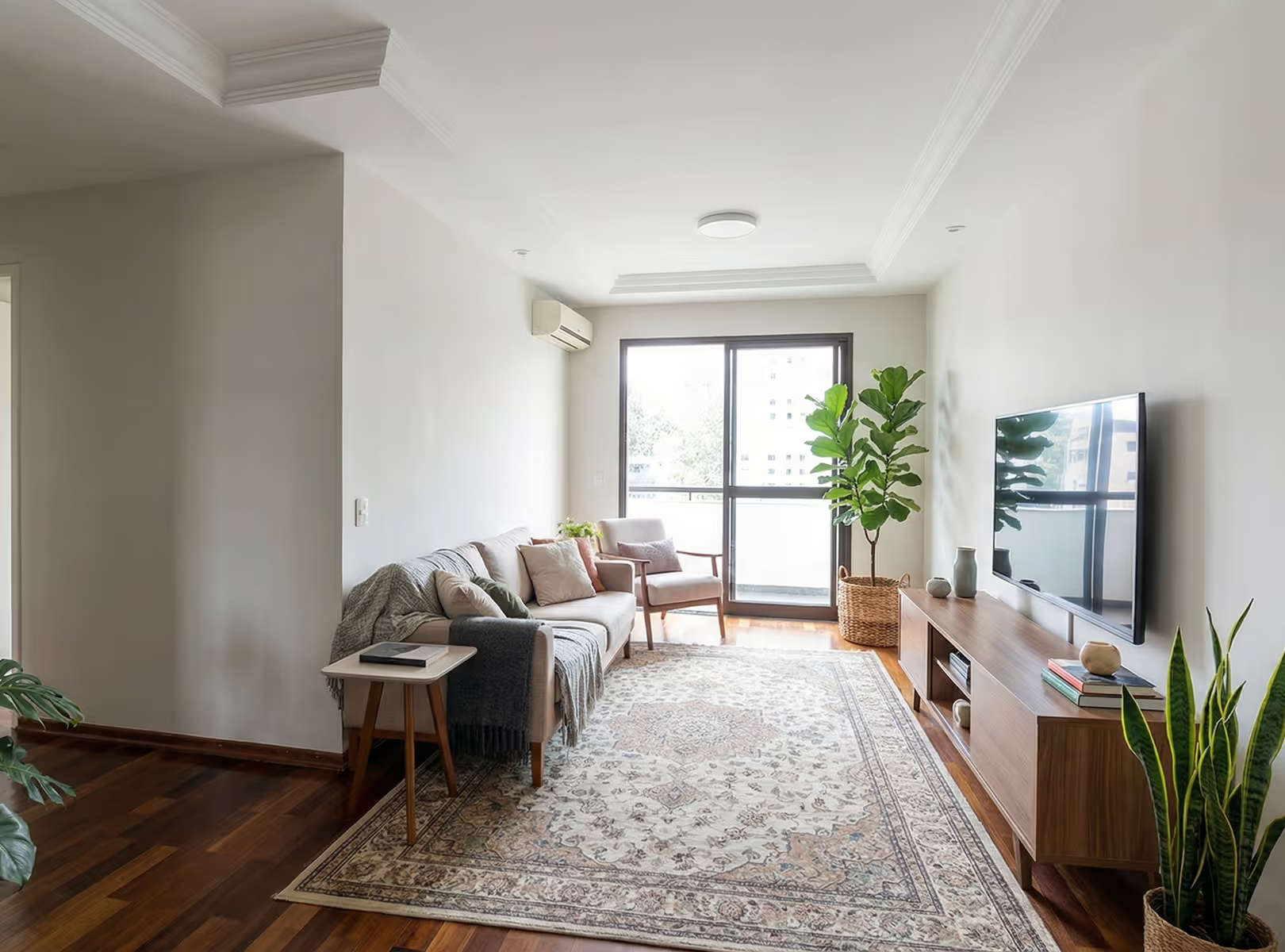
Before
After

AI for Brokers

Introduce
new proposals:

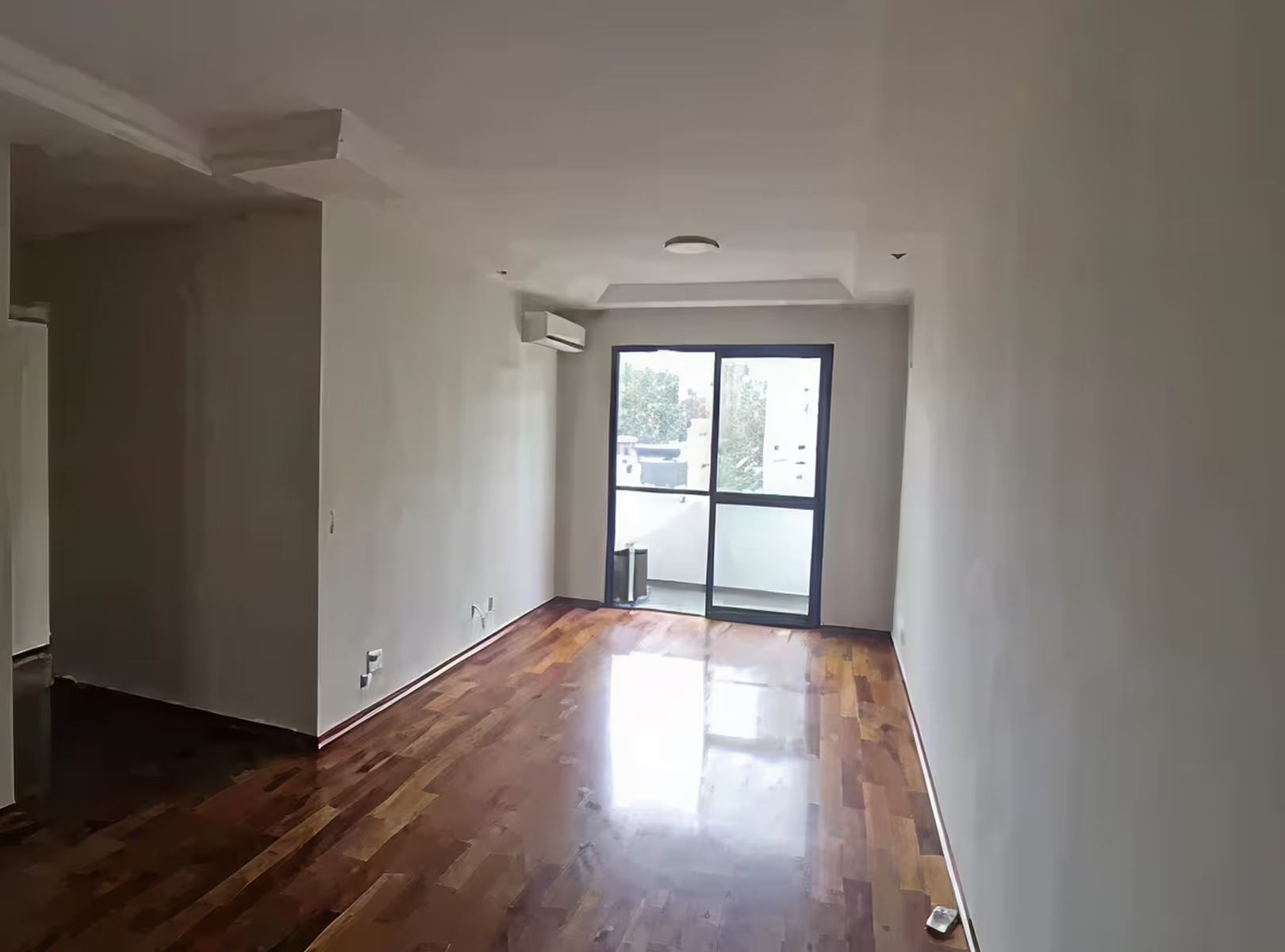
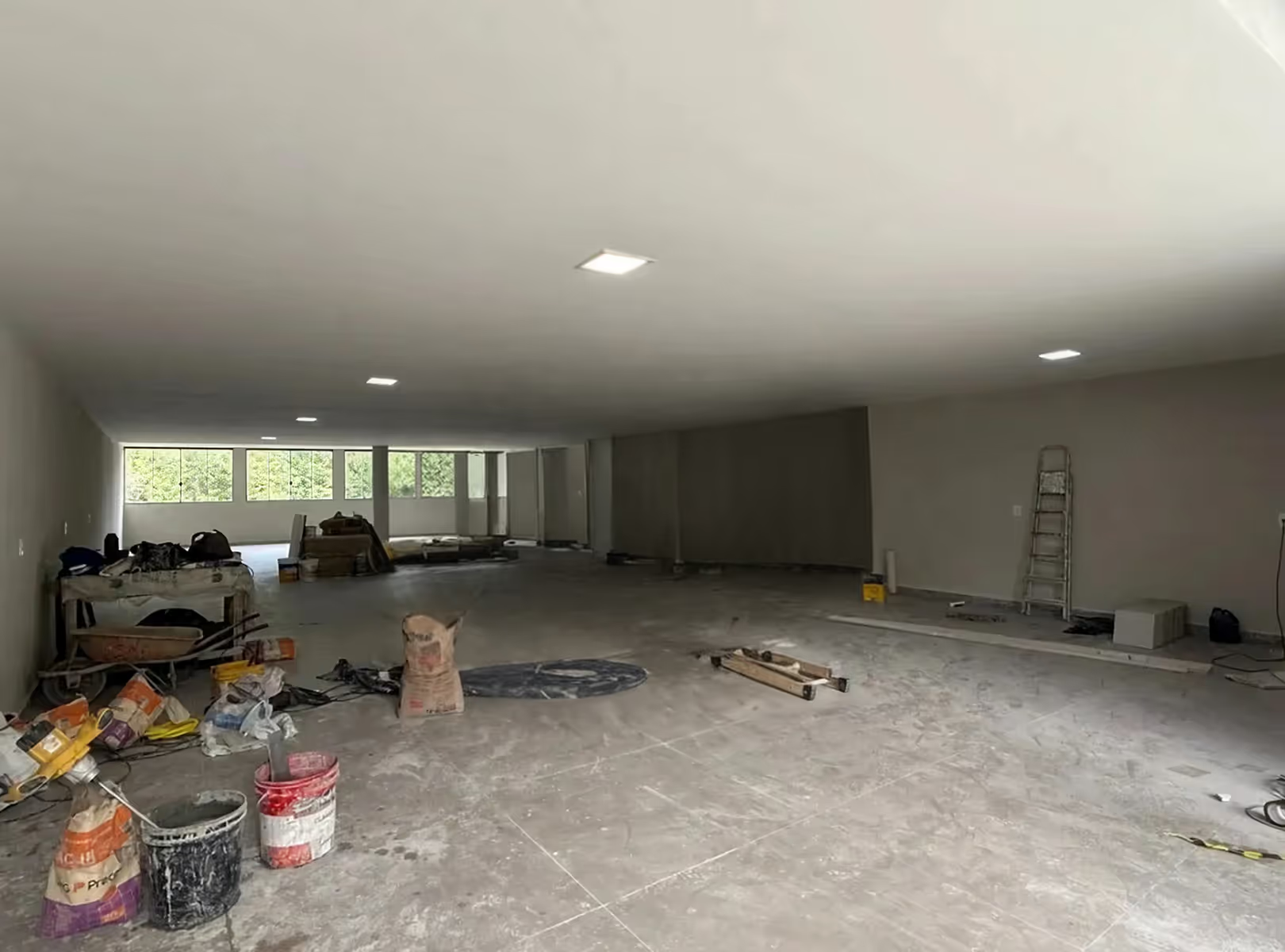
Do you know when the customer doesn't know if that place fits what they want? Or even just an image of the empty room doesn't convince him? Imagine showing what everything will look like in the future for him, with personalized options

AI for Brokers

Create videos from
presentation:

Video speaks for itself, show proposals and enchant your client, stand out with creative videos that talk to your client on their own.

[

Example

]

See some of the possibilities below

Quickly transform images of environments into realistic scenes to present proposals that impress your client without relying on complex software.

Add the customer

You can insert the client's real photo directly into the apartment being presented. The AI positions the image in the environment with natural integration of scale, perspective, and lighting, creating a realistic and personalized scene.
Before
After

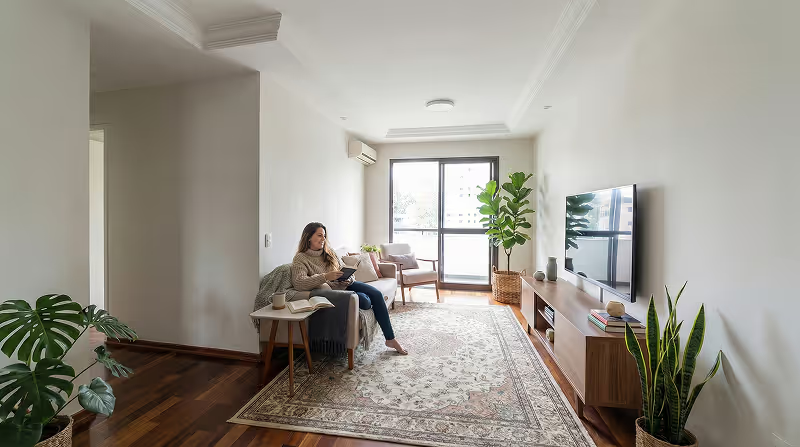
Create lighting variation

Redraw uses artificial intelligence to simulate varying light conditions without altering your original model, helping you explore moodboards, styles, and atmospheres before the final work or proposal.
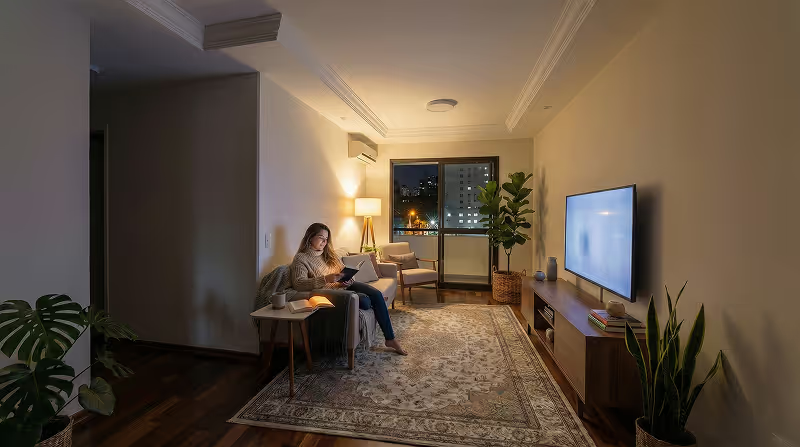
Before
After

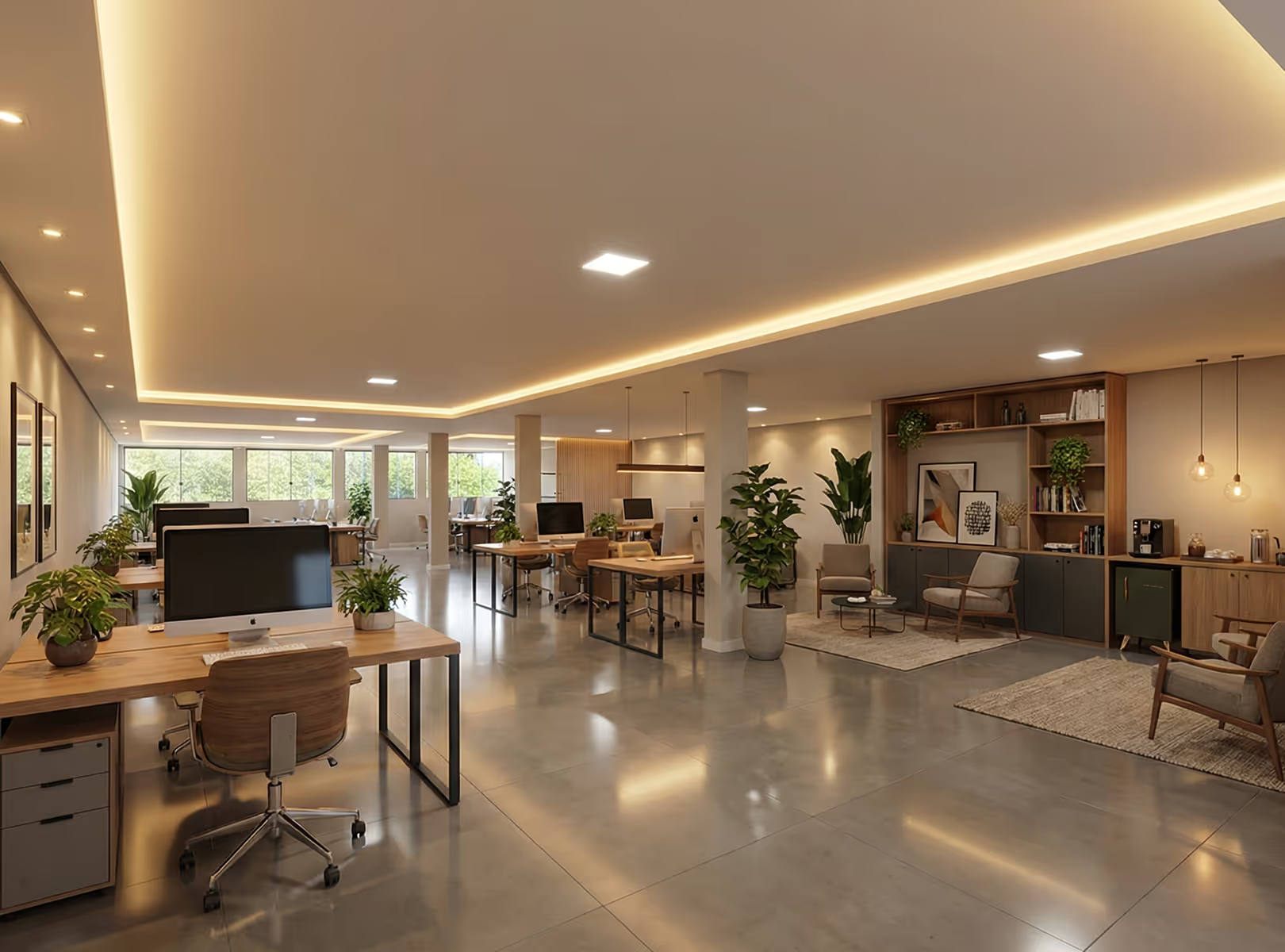
Customize property style

With a few clicks, transform the empty or decorated environment into different visual proposals: modern, minimalist, sophisticated or classic.

Simulate different moments

Simulate morning light, sunset, or a more cozy night environment to reveal different sensations of the same space.

[

IAs HUB

]

The Redraw is
an IAs HUB

AI Tools

Workflow used by Redraw

For one Affordable value you have access to the best IAs on the market, tools designed to help you sell more and save time

Nano Bana Pro

Transforme cenários, adicione elementos e ajuste detalhes em segundos com o Gemini 3

Kling

Crie vídeos e imagens com realismo fotográfico, simulando movimentos complexos e cenas naturais com alta fidelidade e precisão

Magnific

Aumente a resolução com controle total: mantenha a fidelidade exata com Precision ou adicione riqueza visual e novos elementos com Creative

OpenAI

Edite e crie imagens que respeitam cada detalhe do seu texto com o ChatGPT e vídeos que ganham vida através do Sora 2, unindo visual cinematográfico e áudio realista

The game has changed, now anyone using AI can create presentations on another level, you don't have to be different.
Redraw Academy

Get access to personalized classes, teaching you step-by-step to generate images and videos that break the standard and make you stand out from the competition.

Access Redraw Academy
[

Blog

]

Redraw Updates and Trends

Access Blog
How to write AI prompts for architecture rendering — complete guide
Redraw
04.05.2026

How to Write AI Prompts for Architecture Rendering: Complete Guide for Architects

Alexandre Kuhn
5 min of reading

Why generic AI prompts fail in architectural rendering

If you've ever tried to render a project using an AI image generator, you've probably run into the same problem: the result doesn't look like what you had in mind. The lighting came out wrong, the geometry shifted, the style turned generic. And the fix everyone suggests is always the same — "improve your prompt."

But what actually makes a good prompt for architecture rendering? What do you need to write, in what order, and why? This guide breaks down the complete anatomy of an effective prompt for AI image tools like Nano Banana — and shows, at the end, why Redraw was built to eliminate this complexity from the architect's daily workflow.

What is a rendering prompt and why it matters

In text-based AI image tools, the prompt is the only communication channel between you and the model. The more precise and structured it is, the more control you have over the result.

For general use — creating an illustration, generating a texture, exploring a visual concept — a simple prompt works fine. But for technical architectural rendering, where you need to preserve geometry, control lighting, and guarantee project fidelity, a shallow prompt almost always fails.

The good news: there's a proven structure. And mastering it completely changes the output.

The anatomy of a complete AI prompt for architecture rendering

An effective prompt for architectural rendering isn't a sentence — it's a sequence of information layers. Each layer instructs the AI on a different aspect of the final image.

ComponentWhat it doesApplied example
CommandDefines the main action the AI must performRender this image / Turn this model into a photorealistic render
ContextDescribes the general scene environmentContemporary living room interior / Corner-lot residential facade
General ReferenceSpecifies the architectural style and what must be preservedBrazilian minimalist architecture, preserving the original layout and geometry
Realism RulesTechnical parameters controlling visual fidelityNo geometry alteration, PBR materials, global illumination, ray tracing
PhotographySimulates real camera settings24mm lens, eye level, high sharpness, subtle depth of field
CompositionDefines framing and visual principlesRule of thirds, balanced framing, clean space without distracting elements
LightingDescribes light quality, direction, and temperatureSoft morning natural light, entering through side windows, neutral to cool temperature

How each component affects the result

Command: It seems obvious, but different tools interpret commands differently. "Render" tells the AI to treat the image as a technical reference. "Create" or "Imagine" allow more creative freedom — which is a problem for project rendering.

Context: Without clear context, the AI fills gaps with its own "assumptions" based on training data. An interior without context can turn into a generic hotel room. Specify the environment type, the use, and the scale.

General Reference: This layer is critical for architectural projects. Explicitly instruct the AI to not alter what shouldn't be changed. Most fidelity errors happen because this instruction is absent.

Realism Rules: Technical terms like global illumination, ray tracing, physically-based rendering activate specific parameters in AI models that produce more photorealistic results. Without them, the output tends to look like a digital illustration, not a render.

Photography: The camera is the observer's point of view. A wide-angle lens (24mm, 28mm) gives scale and breadth — ideal for interiors and facades. Eye level creates a natural perspective. Subtle depth of field adds realism without distracting from the project.

Composition: Framing matters as much in rendering as in photography. Instructing the AI on composition avoids cropped, off-center results or unwanted elements in the foreground.

Lighting: This is the layer with the greatest impact on final realism. Describe the time of day (morning, afternoon, sunset), the light source (natural, artificial, mixed), the direction (lateral, zenithal, diffuse), and the color temperature (warm, neutral, cool). The more specific, the less the AI "invents."

Building the complete prompt: a real example

Applying all layers in sequence, a functional prompt for interior rendering looks like this:

"Render this image of a contemporary living room interior, minimalist architecture, preserving the original layout without altering the geometry, with realistic materials and global illumination, in professional architectural photography with a 24mm lens, eye level, high sharpness, subtle depth of field, balanced framing with rule of thirds, soft morning natural light entering through side windows, neutral temperature, realistic to the point of being indistinguishable from a real photograph."

It's an effective prompt — but also a long, technical one that takes practice to build. For each project, each angle, each space, you repeat this process.

When the prompt is enough — and when it isn't

Mastering prompts is a valid skill, especially for creative exploration, moodboards, and concept generation. But for professional, day-to-day use in architecture firms, there are structural limitations no prompt solves:

  • The AI doesn't read the 3D model — it interprets a reference image. This means the project's geometry is always at risk of being reinterpreted.
  • Consistency across generations is low. Two identical prompts rarely produce the same result.
  • The time spent adjusting and refining prompts can exceed the time the render saves.
  • Text prompts can't precisely control parameters like camera angle, light intensity, or material finish.

For occasional exploration, the prompt-based workflow works. For recurring project render production, the cost-benefit equation shifts.

The visual interface: what Redraw does differently

Redraw was built on a different premise: architects shouldn't need to learn machine language to generate a professional render.

Instead of writing warm late-afternoon natural light, long soft shadows, entering laterally, in Redraw you click "Sunset."

Redraw interface showing visual lighting selection by click

Instead of describing suburban residential street with neighbors visible in the background, you select the environment directly in the visual interface.

Redraw interface showing environment selection by click

Every choice you'd make in a long prompt — lighting, environment, style, camera — becomes a click. And since Redraw was trained exclusively for architecture, the model already "understands" the project context without you having to explain it.

"In Redraw, the less prompt users add, the better the results."

Comparison: text prompts vs. visual interface

FeatureText Prompt ToolsRedraw
Prompt ComplexityHigh — requires long technical structureLow — natural, simple language
Lighting ControlText-based, technicalVisual clicks (Atmosphere & Mood)
Environment ControlText-based, descriptiveVisual clicks (Environment Selection)
3D Project FidelityVariable — depends on reference and promptHigh — processes model geometry directly
Consistency Across GenerationsLowHigh
User FocusLearning to command the AIDescribing the architectural vision
Learning CurveSteepFast and intuitive
Time per RenderHigh (prompt + adjustments + post-production)Low (20–40 seconds, publishable result)

FAQ — Frequently asked questions about AI prompts for architecture rendering

What is an AI prompt for architecture rendering?

A prompt is the text command you send to an AI image generator. For architecture rendering, an effective prompt must include: environment type, architectural style, realism parameters, camera settings, composition, and lighting. The more specific and structured, the closer the result to what you need.

Which keywords improve a rendering prompt?

For more realistic results, include terms like global illumination, ray tracing, physically-based rendering, architectural photography, photorealistic, 35mm lens, natural light. These activate specific parameters in AI models that increase visual fidelity.

Why doesn't my prompt preserve the project's geometry?

Because text-based AI image tools don't process 3D models — they interpret reference images. The geometry is never fully protected, even with explicit instructions like "do not alter the layout." For project-faithful rendering, tools that integrate the 3D model directly — like Redraw — are more reliable.

Is it worth learning to write rendering prompts?

It depends on the use case. For creative exploration, moodboards, and concept generation, yes — it's a useful skill. For recurring project render production in a firm, the time cost of prompt tuning tends to outweigh the benefit. Specialized tools deliver more output with less effort.

Does Redraw use prompts?

Redraw accepts natural language prompts, but doesn't rely on them to produce quality results. Most control — lighting, environment, style, camera — is done through visual interface clicks. The model was trained for architecture, so it understands the project context without needing detailed text input.

What's the difference between Nano Banana and Redraw for architectural rendering?

Nano Banana is an AI generation tool that operates from text prompts — versatile, but generic. For architectural project rendering with technical fidelity, Redraw was built specifically for this: it processes the 3D model, preserves geometry, and delivers publishable results in 20 to 40 seconds, without the prompt learning curve. (For a direct comparison between generic and specialized AI, see Redraw vs Midjourney for architecture.)

Conclusion

Knowing how to build a structured prompt is a real advantage when using AI image tools. This guide covers enough to start producing better results immediately — understanding what each prompt layer does and why it matters.

But mastering prompts has a ceiling. For architects who need project-faithful, consistent, fast renders every day, there's a more direct approach: an AI trained to understand architecture without you having to spell it out in machine language.

That's exactly what Redraw was built for.

Create your free Redraw account →

Redraw — the AI hub for architecture used by 200,000+ professionals
Redraw
04.05.2026

Redraw: The AI Hub for Architecture | 200K Professionals

Alexandre Kuhn
5 min of reading

Redraw: the AI platform for architecture used by 200,000 professionals

In 2023, an architect needed an average of 4 to 8 hours to produce a presentable render. Today, with Redraw, the same render is delivered in 20 to 40 seconds — no gaming PC, no V-Ray, no render farm queue.

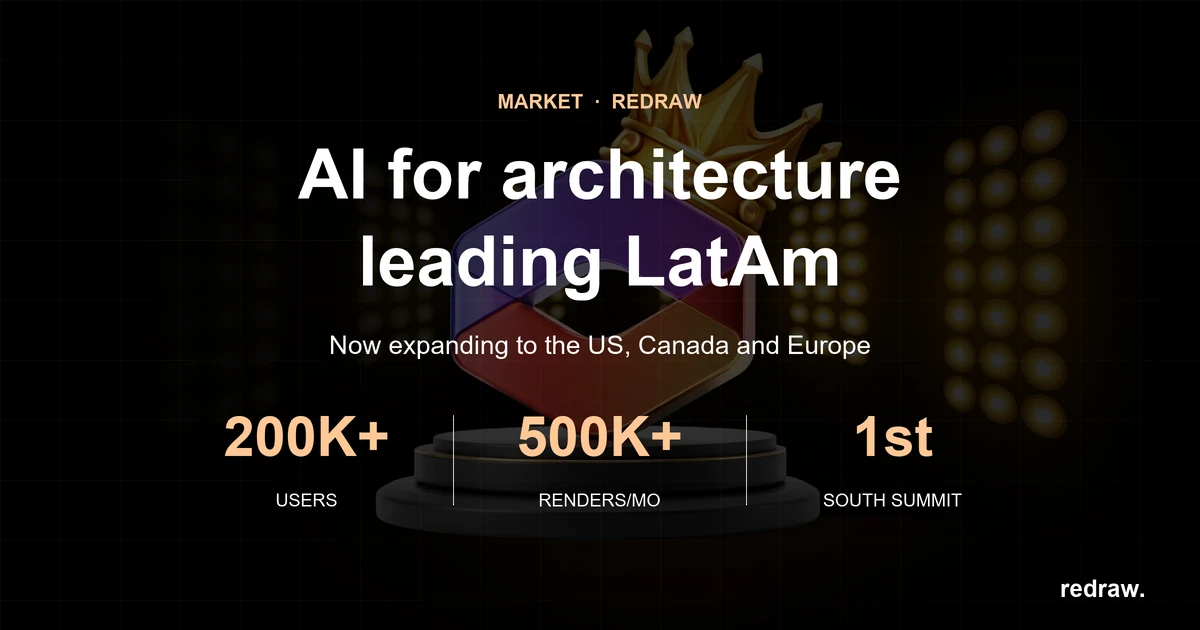
Redraw is a 100% cloud-based SaaS platform that brings together the leading AI tools for architecture, engineering, and interior design in a single place. With over 200,000 active users and 500,000 renders generated per month, Redraw is the most-used AI rendering platform among professionals in Brazil and across Latin America.

This guide covers what Redraw is, how each tool works, who it’s for, and why specialization matters when it comes to technical rendering.

What is Redraw?

Redraw is an AI platform specialized in architectural visualization. Unlike generic AI image tools, Redraw was trained and developed exclusively for architecture, interior design, and engineering — meaning it understands technical perspective, preserves the geometry of the original project, and delivers publishable results without requiring post-production.

The platform was founded in late 2022 by Sergio Moreira Santos and Alexandre Kuhn and officially launched in June 2023. In less than three years, it has become a category reference across Brazil with international expansion underway.

Redraw runs directly in the browser. There is no software to install, no licenses to configure, and no need for a high-performance computer. Processing happens on Redraw’s servers, and results arrive in seconds.

Tools available on Redraw

Redraw is not just a render generator. It’s a complete hub of AI tools designed around the architect and designer’s real workflow.

ToolWhat it does
Render ImageTurns 3D models (SketchUp, Archicad, 3DS, Revit, Rhino) or reference images into photorealistic renders in 20–40 seconds.
Improve RenderEnhances existing renders — improves lighting, textures, finishes, and details without regenerating from scratch.
Image from TextGenerates concept images from a text description, ideal for moodboards and early-stage style exploration.
Idea GeneratorProposes new design directions for a space — useful for showing clients alternatives quickly.
Render TracesInterprets sketches and hand-drawn references, turning them into realistic visualizations.
UpscaleIncreases image resolution up to 8K while preserving professional print quality.
AI Chat (ChatGPT)Integrated ChatGPT access inside the platform to support briefings, presentation copy, project descriptions, and client communication.
Nano BananaAI video generator integrated into the hub — create animations and project presentation videos directly inside the platform, with no external tools.
Video generation (Veo 3 / Kling)High-quality generative video tools to create virtual tours, concept animations, and audiovisual project content.

Why specialization matters

Generic AI image tools were built for any purpose — fine art, graphic design, content creation. That makes them versatile, but shallow when applied to a technical problem like architectural rendering. The output may capture the style of the project, but rarely the project itself. (For a head-to-head, see Redraw vs Midjourney for architecture.)

Redraw was built for one specific problem, and that choice translates into three concrete differences:

1. Project fidelity

Redraw processes the geometry of the 3D model. The output respects walls, openings, volumes, and proportions — because the model was trained exclusively on architecture data. Generic tools reinterpret freely, generating rework and inconsistencies clients notice.

2. Real workflow integration

Redraw connects directly to SketchUp, Archicad, 3DS, Revit, and Rhino. No exporting to another software, no intermediate steps. You start from the model you already have and render without leaving your workflow.

3. Publishable output, immediately

With generic tools, the render is the starting point for post-production. With Redraw, the result already arrives at presentation quality — ready to send to the client or publish to your portfolio.

Who is Redraw for?

Redraw was designed for professionals who need technical, fast, and project-faithful results:

  • Architects and urban planners who need presentation renders without depending on outsourced studios.
  • Interior designers who need to show the finished space before construction.
  • Engineers who need to communicate the project visually to non-technical clients.
  • Architecture students who need professional quality without paying for premium software.
  • Mid-size and large firms that need to scale image production without growing the team.

How to get started with Redraw

Access to Redraw starts with a free plan that includes credits to test the main features without commitment. The basic flow is:

  1. Create an account at redraw.pro — no credit card required.
  2. Upload your 3D model or a reference image.
  3. Choose the desired style and environment.
  4. Generate the render in seconds.
  5. Download or share directly with your client.

Redraw supports models from SketchUp, Archicad, 3DS, Revit, and Rhino — with native SketchUp integration that fully removes the export step.

Redraw plans and pricing

Redraw offers a free plan with monthly credits and paid plans that scale with usage. Professional plans include unlimited renders, access to all styles and tools, and priority support. Current pricing is always up to date at redraw.pro/pricing.

FAQ — Frequently Asked Questions

What is Redraw?

Redraw is an AI platform specialized in rendering for architecture, interior design, and engineering. It runs 100% in the cloud and generates photorealistic renders in 20 to 40 seconds from 3D models or reference images.

Is Redraw free?

Yes, Redraw has a free plan with monthly credits to test the main tools. For professional use with higher render volumes, there are paid plans with scalable pricing available at redraw.pro/pricing.

Do I need to install any software to use Redraw?

No. Redraw runs directly in the browser, with no installation. Processing happens in the cloud, so you don’t need a high-performance computer.

Does Redraw work with SketchUp, Archicad, and Revit?

Yes. Redraw has native SketchUp integration and supports models exported from Archicad, 3DS, Revit, and Rhino. The integration lets you render directly from the model, with no intermediate conversion steps.

Does Redraw preserve the original project geometry?

Yes. This is the core difference compared with generic AI tools. Redraw was trained to process the structure of the 3D model and generate the render preserving the proportions, volumes, and characteristics of the designed project — not a free stylistic interpretation.

What is the Redraw AI Hub?

Beyond rendering, Redraw consolidates other AI tools inside the platform: integrated ChatGPT for communication and copywriting, Nano Banana for video generation, and Veo 3 and Kling for high-quality generative video. The goal is for architects to avoid juggling multiple subscriptions and tools — everything in one place.

What’s the difference between an AI specialized in architecture and a generic image AI?

A generic image AI was trained on visual data from any domain. It can produce beautiful images with an architectural aesthetic, but it doesn’t understand the project itself — it doesn’t preserve proportions, doesn’t read 3D models, and doesn’t maintain consistency between generations. Redraw was trained exclusively for architecture, which means it processes the real geometry of the project and delivers a result faithful to what was designed.

Is Redraw suitable for architecture students?

Yes. The free plan is ideal for students who need professional quality without investing in paid software. Many universities in Brazil already recommend Redraw as a support tool for project presentations.

Conclusion

Redraw is not just another AI tool. It’s a specialized hub built for the architect’s real workflow — from 3D model to publishable render in less than a minute, with complementary text, video, and communication tools integrated into the same platform.

For anyone still relying on outsourced render farms, V-Ray, or wasting hours trying to extract technical fidelity from tools that weren’t built for it, Redraw represents a paradigm shift: less time on tools, more time on what matters — designing.

Create your free Redraw account →

Redraw vs Midjourney — AI comparison for architecture rendering
Redraw
04.05.2026

Redraw vs Midjourney: Which Is Better for Rendering Architecture Projects in 2026?

Alexandre Kuhn
5 min of reading

You spent hours refining the project in SketchUp or Revit. Now you need an image that will convince the client — and you have two paths in front of you: throw the model into Midjourney and hope it produces something close to what you designed, or use a tool that was built specifically for this.

That's the core of this comparison. Midjourney is an image generation tool. Redraw is an AI rendering platform for architecture. The difference seems semantic, but in practice it changes everything: the kind of control you have, fidelity to the original project, time spent, and the result delivered to the client.

In 2026, with over 200,000 users and 500,000 renders generated per month, Redraw consolidated a clear proposition: professional rendering without losing the project. This article explains, point by point, why that matters.

What each tool was built to do

Midjourney

Midjourney is a diffusion model trained to generate images from text prompts. It is extraordinary for artistic creation, concept art, moodboards, and free visual exploration. But it was not designed for technical rendering. It does not read 3D files, does not respect floor plans, and does not maintain structural consistency between generations.

Using Midjourney to render an architecture project is possible — but it requires a series of workarounds: exporting perspectives as references, using ControlNet to try to maintain structure, tuning long prompts, and accepting that the result will diverge from the actual project.

Redraw

Redraw was built specifically for the architect's workflow. It receives the 3D model directly (via integration with SketchUp, Revit, Rhino, or a reference image) and generates photorealistic renders that preserve the project's geometry. In 20 to 40 seconds, you have a publishable image — without depending on a gaming PC, without render farm queues, and without losing the project's identity.

Technical comparison: what really matters for the architect

CriterionRedrawMidjourney
3D model integration✅ Native (SketchUp, Revit, Rhino)❌ Not supported
Fidelity to the original project✅ High — geometry preserved⚠️ Low — freely interpreted
Render time✅ 20–40 seconds⚠️ Variable, depends on workflow
Style control✅ Per-environment styles + customization✅ High via prompts
Learning curve✅ Low (visual interface)⚠️ Medium-high (prompt mastery)
Professional use in presentations✅ Direct, no adjustments⚠️ Requires post-production
Cloud processing✅ Yes✅ Yes
Base priceStarts with a free planFrom US$ 10/month
Architecture niche focus✅ Total❌ Generic

When Midjourney makes sense

Being honest here is part of the argument. Midjourney has legitimate uses in an architect's creative workflow:

  • Concept moodboards: before defining the project, to align aesthetic expectations with the client
  • Style exploration: testing visual references with no technical commitment
  • Texture and material generation: creating visual patterns to use in other software
  • Quick ideation: when the goal is inspiration, not presentation

The problem arises when the architect tries to use Midjourney to replace the technical render. That's where the hidden cost kicks in: hours tweaking prompts, inconsistent results, clients questioning details that don't match the project.

Why specialization matters

Generic AI image tools were trained on a massive universe of visual data. That makes them versatile — but also superficial when applied to a specific task.

Redraw was trained and optimized exclusively for rendering architecture, interior design, and engineering. That means:

  • The model understands architectural perspective
  • It preserves structural proportions
  • The available styles were developed for real environments (residential, commercial, exteriors, interiors)
  • The interface was designed for the architect's workflow, not the digital artist's

It's the difference between a generalist and a specialist. For professional presentation rendering, specialization delivers consistency.

Workflow in practice

With Midjourney (real flow)

  1. Export the model perspective as an image
  2. Upload as a reference in Midjourney (img2img or ControlNet)
  3. Write a detailed prompt trying to describe the project
  4. Generate 4 options, evaluate, pick the best
  5. Notice that the geometry was altered
  6. Adjust prompt, run again
  7. Use Photoshop to fix distortions
  8. Deliver — with caveats

Estimated total time: 2–4 hours per image

With Redraw (real flow)

  1. Export the model or open via direct integration
  2. Choose style and environment
  3. Generate render
  4. Deliver

Estimated total time: 5–10 minutes per image

The verdict

If the goal is render for project presentation, Redraw wins without discussion. The geometry is preserved, the time is 10x shorter, and the result is publishable directly.

If the goal is creative exploration or moodboard, Midjourney is a valid and powerful tool.

The question is not which tool is "better" in absolute terms — it's which one solves the right problem. And for the architect who has to present a project to a client next week, a specialized tool beats a generic tool every time.

Ready to try it? Create your free Redraw account and render your first project in under 30 seconds.

Frequently asked questions


Can I use Midjourney to render architecture projects?

Yes, it's possible — but with significant limitations. Midjourney does not read 3D files, so you must rely on reference images and text prompts. The output tends to diverge from the original geometry of the project, requiring time-consuming adjustments and post-production. For technical presentations, specialized tools like Redraw deliver more accurate and reliable results.


Are Redraw and Midjourney direct competitors?

Not exactly. Midjourney is a generic, general-purpose AI image generation platform. Redraw is an AI rendering platform built exclusively for architecture and interior design. They can coexist in the workflow: Midjourney for concept and moodboard, Redraw for the final technical render.


Which tool is cheaper?

It depends on usage volume. Midjourney starts at US$ 10/month with limited generations. Redraw has a free plan with monthly renders included and paid plans for professional use. For studios with high render volume, Redraw tends to be more cost-efficient by delivering the final result without needing rework.


Does Redraw maintain fidelity to the original project?

Yes. That's the main technical difference. Redraw processes the geometry of the 3D model and generates the render preserving the designed structure — walls, openings, volumes, and proportions. The result is faithful to what was designed, not a free artistic interpretation.


Do I need a powerful PC to use Redraw?

No. Redraw runs entirely in the cloud. You only need an internet connection and a browser. Renders are generated on Redraw's servers in 20 to 40 seconds, regardless of your computer's hardware.


Can Redraw integrate with SketchUp or Revit?

Yes. Redraw has native integration with SketchUp and supports models exported from Revit, Rhino, and other common architecture software. The integration eliminates intermediate steps and reduces export and configuration time.


Midjourney or Redraw: which one to use for the portfolio?

For portfolio renders representing real projects, Redraw is the safer choice. The result preserves the project's identity and is produced in minutes. Midjourney can be useful for creating conceptual atmosphere images, but it does not replace the technical render when fidelity to the project matters.

Conclusion

The "Redraw vs Midjourney" question reveals a common confusion in the market: treating AI image tools as equivalents. They are not. One is generic and powerful for free creation. The other was built to solve a specific problem — professional rendering inside the architect's real workflow.

For those who design and need to present, the choice is clear. Redraw delivers what Midjourney can't: your project, exactly as you designed it, ready in under a minute.

[

Have questions about Redraw?

]

FAQs

Everything you need to know about Redraw, from purchase to usability.

WhatsApp

Do you want a closer contact with us? Talk to our team.

Call on WhatsApp

Is Redraw for me, realtor?

Yes. Redraw was designed to help brokers value properties with more attractive, professional and impactful images, increasing interest and accelerating sales.

Do you teach how to use?

Yes. We have a dedicated video for brokers in our Academy, where we teach you the best ways to apply AI to your work.
In addition, our team constantly posts content on social networks showing new possibilities and practical applications.

Is it free?

Yes. You get some free coins to test the tool.
Some more advanced features or specific versions may require a subscription, with affordable plans designed for different moments in your career.

Do I have support to answer my questions?

Of course. Our team is available on service channels to help you with:

Questions about subscription

Use of the platform

Strategic applications in everyday life

Can I improve photos of ready-made properties?

Yes. You can improve the quality, lighting, sharpness, and presentation of images to make them more professional and attractive.

Can I transform empty properties into furnished environments?

Yes. You can generate realistic environments to help the client visualize the potential of the property.

How long does it take to receive the result?

In a few seconds you can see the transformation of the image.

Does Redraw really help you sell more?

Better images generate more clicks, more visits, and more perception of value.

Brokers who use good images stand out from the competition - and this directly impacts closing opportunities.